Firmware Demo vs Firmware Production
Khi demo trên bàn làm việc, firmware chạy 30 phút là đủ. Khi deploy thiết bị thực tế, firmware cần chạy hàng tuần, hàng tháng không cần can thiệp. Sự khác biệt không nằm ở tính năng mà ở độ bền và khả năng tự phục hồi.
| Demo Firmware | Production Firmware |
|---|---|
| Crash → restart thủ công | Crash → tự restart, tự phục hồi |
| Update = kết nối máy tính + upload | Update = OTA qua WiFi |
| Serial.println() debug | Structured logging có level |
| Không biết thiết bị ở đâu | Health monitoring: mem, uptime, WiFi RSSI |
| Hỏng phải ra hiện trường | Remote diagnostic + self-healing |
OTA Update: Cập Nhật Firmware Từ Xa
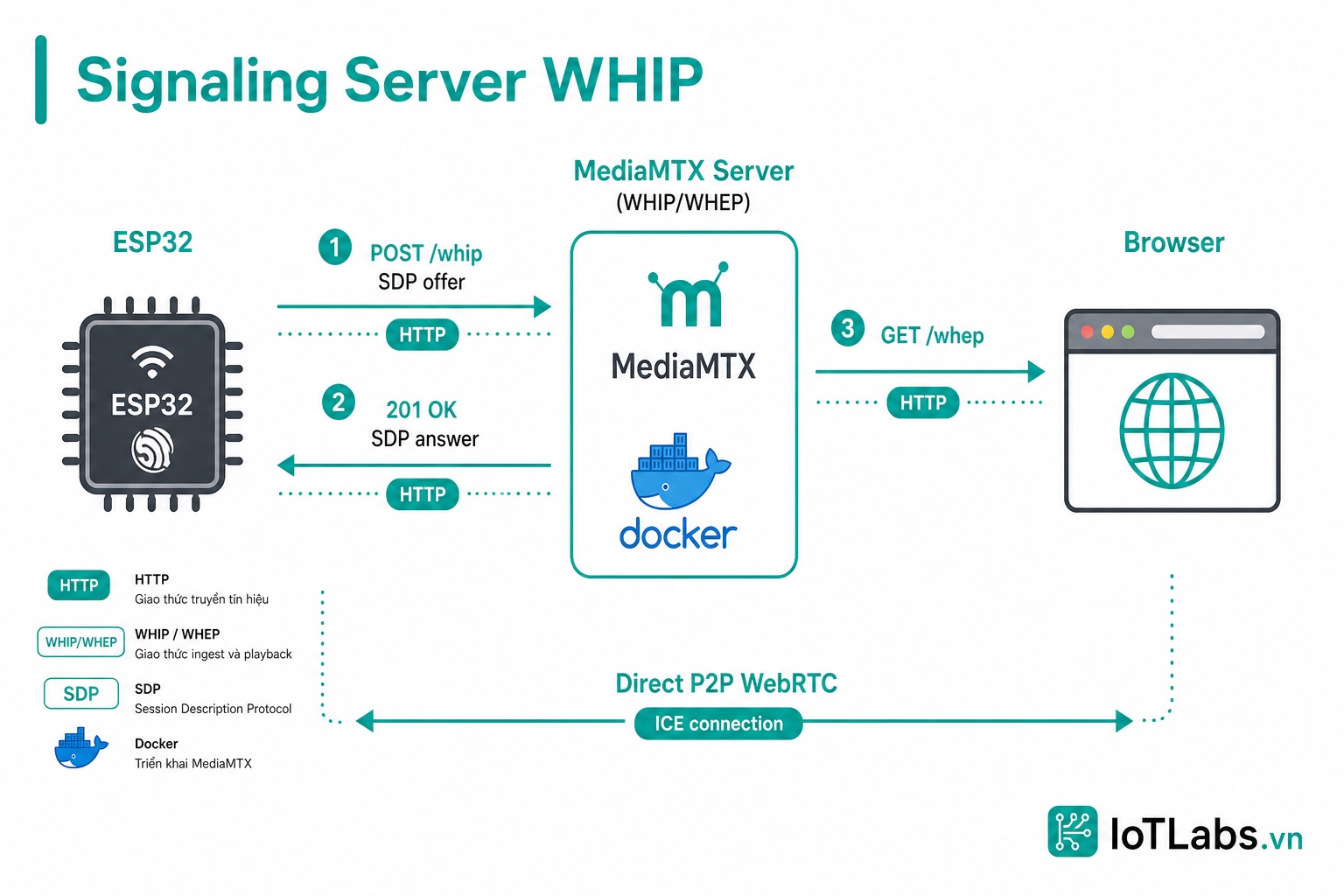
ESP32-S3 có partition table hỗ trợ 2 firmware slot (app0 + app1). OTA ghi firmware mới vào slot đang không dùng, sau đó switch sang slot mới — nếu firmware mới lỗi, có thể rollback về slot cũ.
OTA Đơn Giản Với ArduinoOTA
#include <WiFi.h>
#include <ArduinoOTA.h>
void setupOTA() {
ArduinoOTA.setHostname("esp32s3-iotlabs");
ArduinoOTA.setPassword("iotlabs2024"); // Bảo vệ OTA
ArduinoOTA.onStart([]() {
Serial.println("[OTA] Bắt đầu update...");
// Tạm dừng các task quan trọng nếu cần
});
ArduinoOTA.onProgress([](unsigned int progress, unsigned int total) {
Serial.printf("[OTA] Progress: %u%%\n", (progress / (total / 100)));
});
ArduinoOTA.onEnd([]() {
Serial.println("\n[OTA] Update xong — Restarting...");
});
ArduinoOTA.onError([](ota_error_t error) {
Serial.printf("[OTA] Error[%u]: ", error);
if (error == OTA_AUTH_ERROR) Serial.println("Auth Failed");
else if (error == OTA_BEGIN_ERROR) Serial.println("Begin Failed");
else if (error == OTA_CONNECT_ERROR) Serial.println("Connect Failed");
else if (error == OTA_RECEIVE_ERROR) Serial.println("Receive Failed");
else if (error == OTA_END_ERROR) Serial.println("End Failed");
});
ArduinoOTA.begin();
Serial.println("[OTA] Ready — hostname: esp32s3-iotlabs");
}
// Gọi trong task riêng hoặc loop
void otaTask(void* p) {
while (true) {
ArduinoOTA.handle();
vTaskDelay(pdMS_TO_TICKS(100));
}
}
OTA Qua HTTP Server (Tự Host)
#include <HTTPUpdate.h>
void checkAndUpdateOTA(const char* updateUrl) {
WiFiClient client;
Serial.printf("[OTA] Checking: %s\n", updateUrl);
t_httpUpdate_return ret = httpUpdate.update(client, updateUrl);
switch (ret) {
case HTTP_UPDATE_FAILED:
Serial.printf("[OTA] FAILED: %s\n",
httpUpdate.getLastErrorString().c_str());
break;
case HTTP_UPDATE_NO_UPDATES:
Serial.println("[OTA] Already up to date");
break;
case HTTP_UPDATE_OK:
Serial.println("[OTA] OK — will restart");
// ESP tự restart sau khi update
break;
}
}
Hardware Watchdog: Tự Restart Khi Firmware Treo
ESP32-S3 có hardware watchdog timer. Nếu không được “feed” trong khoảng thời gian quy định, chip tự reset.
#include "esp_task_wdt.h"
#define WDT_TIMEOUT_SECONDS 30 // Reset nếu không feed trong 30s
void setupWatchdog() {
// Khởi tạo watchdog với timeout 30 giây
esp_task_wdt_config_t wdt_config = {
.timeout_ms = WDT_TIMEOUT_SECONDS * 1000,
.idle_core_mask = 0, // Không monitor idle tasks
.trigger_panic = true // Panic + reset khi timeout
};
esp_task_wdt_reconfigure(&wdt_config);
}
// Task duy nhất chịu trách nhiệm feed watchdog
void watchdogTask(void* p) {
esp_task_wdt_add(NULL); // Đăng ký task này với WDT
while (true) {
// Feed watchdog mỗi 10 giây
esp_task_wdt_reset();
// Kiểm tra các task critical còn sống không
if (!isNetworkTaskAlive()) {
Serial.println("[WDT] Network task chết — restart!");
esp_restart();
}
vTaskDelay(pdMS_TO_TICKS(10000));
}
}
Device State Machine
Firmware production cần quản lý state rõ ràng — không phải một đống if/else trong loop():
typedef enum {
STATE_BOOT, // Khởi tạo hardware
STATE_WIFI_CONNECT, // Kết nối WiFi
STATE_PROVISIONING, // Cấu hình lần đầu (nếu chưa có)
STATE_RUNNING, // Hoạt động bình thường
STATE_OTA_UPDATE, // Đang update firmware
STATE_ERROR, // Lỗi không phục hồi được
STATE_SLEEP, // Deep sleep tiết kiệm điện
} DeviceState;
DeviceState currentState = STATE_BOOT;
uint32_t stateEnteredAt = 0;
void changeState(DeviceState newState) {
Serial.printf("[State] %s → %s\n",
stateToString(currentState),
stateToString(newState));
currentState = newState;
stateEnteredAt = millis();
}
void stateMachineTask(void* p) {
while (true) {
switch (currentState) {
case STATE_BOOT:
initHardware();
changeState(STATE_WIFI_CONNECT);
break;
case STATE_WIFI_CONNECT:
if (WiFi.status() == WL_CONNECTED) {
changeState(STATE_RUNNING);
} else if (millis() - stateEnteredAt > 30000) {
// Timeout 30s → thử lại
WiFi.reconnect();
stateEnteredAt = millis();
}
break;
case STATE_RUNNING:
if (WiFi.status() != WL_CONNECTED) {
changeState(STATE_WIFI_CONNECT);
}
// Kiểm tra OTA mỗi giờ
if (millis() - lastOtaCheck > 3600000) {
changeState(STATE_OTA_UPDATE);
}
break;
case STATE_OTA_UPDATE:
checkAndUpdateOTA(OTA_URL);
changeState(STATE_RUNNING);
lastOtaCheck = millis();
break;
case STATE_ERROR:
Serial.println("[State] ERROR — restart sau 10s");
vTaskDelay(pdMS_TO_TICKS(10000));
esp_restart();
break;
}
vTaskDelay(pdMS_TO_TICKS(500));
}
}
Health Monitoring
struct DeviceHealth {
uint32_t uptimeSeconds;
uint32_t freeHeap;
uint32_t freePsram;
int8_t wifiRssi;
uint32_t mqttMessagesSent;
uint32_t errorCount;
char firmwareVersion[16];
};
void collectHealth(DeviceHealth* health) {
health->uptimeSeconds = millis() / 1000;
health->freeHeap = ESP.getFreeHeap();
health->freePsram = psramFound() ? ESP.getFreePsram() : 0;
health->wifiRssi = WiFi.RSSI();
health->mqttMessagesSent = g_mqttSentCount;
health->errorCount = g_errorCount;
strncpy(health->firmwareVersion, FIRMWARE_VERSION, sizeof(health->firmwareVersion));
}
void healthTask(void* p) {
DeviceHealth health;
char payload[256];
while (true) {
vTaskDelay(pdMS_TO_TICKS(60000)); // Mỗi phút
collectHealth(&health);
// Cảnh báo nếu heap thấp
if (health.freeHeap < 50 * 1024) {
Serial.printf("[WARN] Low heap: %lu KB!\n", health.freeHeap / 1024);
g_errorCount++;
}
// Gửi lên MQTT/HTTP
snprintf(payload, sizeof(payload),
"{\"uptime\":%lu,\"heap\":%lu,\"psram\":%lu,\"rssi\":%d,\"errors\":%lu}",
health.uptimeSeconds, health.freeHeap / 1024,
health.freePsram / 1024, health.wifiRssi, health.errorCount);
Serial.printf("[Health] %s\n", payload);
// mqttClient.publish("device/health", payload);
}
}
Structured Logging
typedef enum { LOG_DEBUG, LOG_INFO, LOG_WARN, LOG_ERROR } LogLevel;
#define LOG_MIN_LEVEL LOG_INFO // Thay đổi khi debug
void logMessage(LogLevel level, const char* module, const char* fmt, ...) {
if (level < LOG_MIN_LEVEL) return;
const char* levelStr[] = {"DEBUG", "INFO ", "WARN ", "ERROR"};
char msg[256];
va_list args;
va_start(args, fmt);
vsnprintf(msg, sizeof(msg), fmt, args);
va_end(args);
// Format: [LEVEL][uptime][module] message
Serial.printf("[%s][%8lu][%-12s] %s\n",
levelStr[level], millis() / 1000, module, msg);
// Lưu ERROR vào NVS để đọc sau reset
if (level == LOG_ERROR) {
saveErrorToNVS(msg);
}
}
// Dùng trong code:
// logMessage(LOG_INFO, "WiFi", "Connected: %s RSSI:%d", ssid, WiFi.RSSI());
// logMessage(LOG_ERROR, "Camera", "Init failed: 0x%x", err);
// logMessage(LOG_WARN, "Memory", "Low heap: %lu KB", heap/1024);
Checklist Firmware Production
Trước khi deploy:
- [ ] OTA endpoint hoạt động và có authentication
- [ ] Hardware watchdog được bật và feed đúng cách
- [ ] State machine có xử lý mọi lỗi và timeout
- [ ] Heap monitor cảnh báo khi < 50 KB
- [ ] Error count được tracking và gửi về server
- [ ] Firmware version được log khi boot
- [ ] WiFi reconnect tự động khi mất kết nối
- [ ] Task tối quan trọng có priority cao và không blocking
- [ ] Stack size được đo bằng HighWaterMark
- [ ] NVS lưu crash log để đọc sau restart
Tổng Kết Series
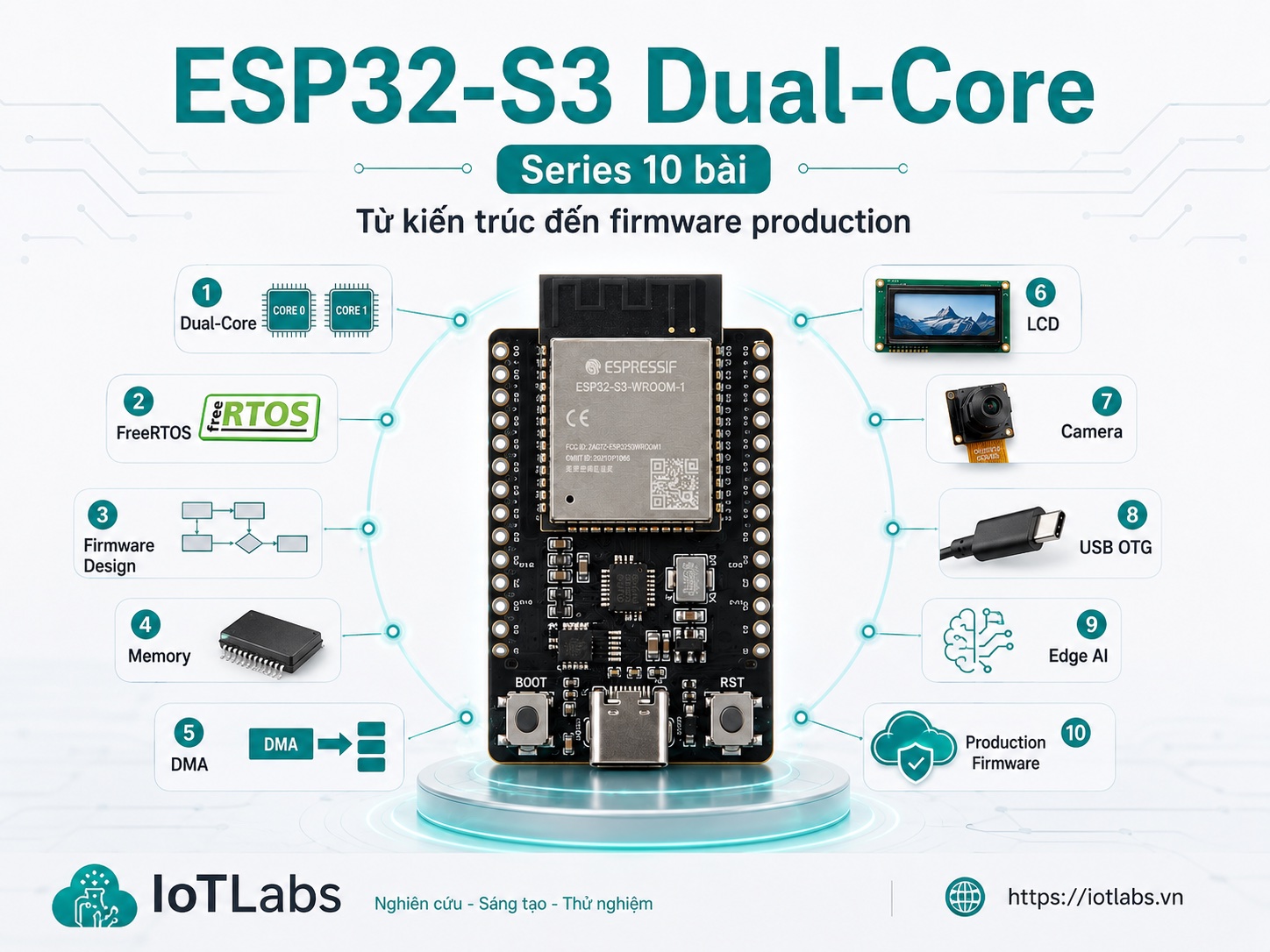
Bạn đã hoàn thành Series Sức Mạnh ESP32-S3 Dual-Core:
| Bài | Chủ Đề | Điểm Chính |
|---|---|---|
| 1 | ESP32-S3 là gì | LX7, PSRAM, USB native, AI instructions |
| 2 | Dual-Core LX7 | Core 0/1, cache, IRAM, pinToCore |
| 3 | FreeRTOS | Task, Queue, Semaphore, Mutex |
| 4 | Thiết kế firmware | Anti-pattern, blueprint, checklist |
| 5 | Memory architecture | SRAM, PSRAM, heap, fragmentation |
| 6 | DMA, LCD, Camera | SPI DMA, I2S DMA, framebuffer |
| 7 | USB OTG | CDC, HID, Host, native vs UART |
| 8 | Edge AI | SIMD, ESP-DSP, TFLite Micro |
| 9 | Project thực tế | Camera + LCD + Dual-Core hoàn chỉnh |
| 10 | Production firmware | OTA, watchdog, state machine, health |
Bước tiếp theo: Thực hành với board thật, tham gia cộng đồng IoTLabs và theo dõi các series tiếp theo tại IoTLabs.vn.
📚 Series: Sức Mạnh ESP32-S3 Dual-Core
⬅️ Bài trước: S3 Dual-Core – Bài 9: Project Camera + LCD + Dual-Core
ESP32-S3 còn được dùng để xây dựng hệ thống nhận diện giọng nói offline. Xem thêm: Hướng dẫn wake word detection với ESP32-S3, WakeNet và ESP-SR.