

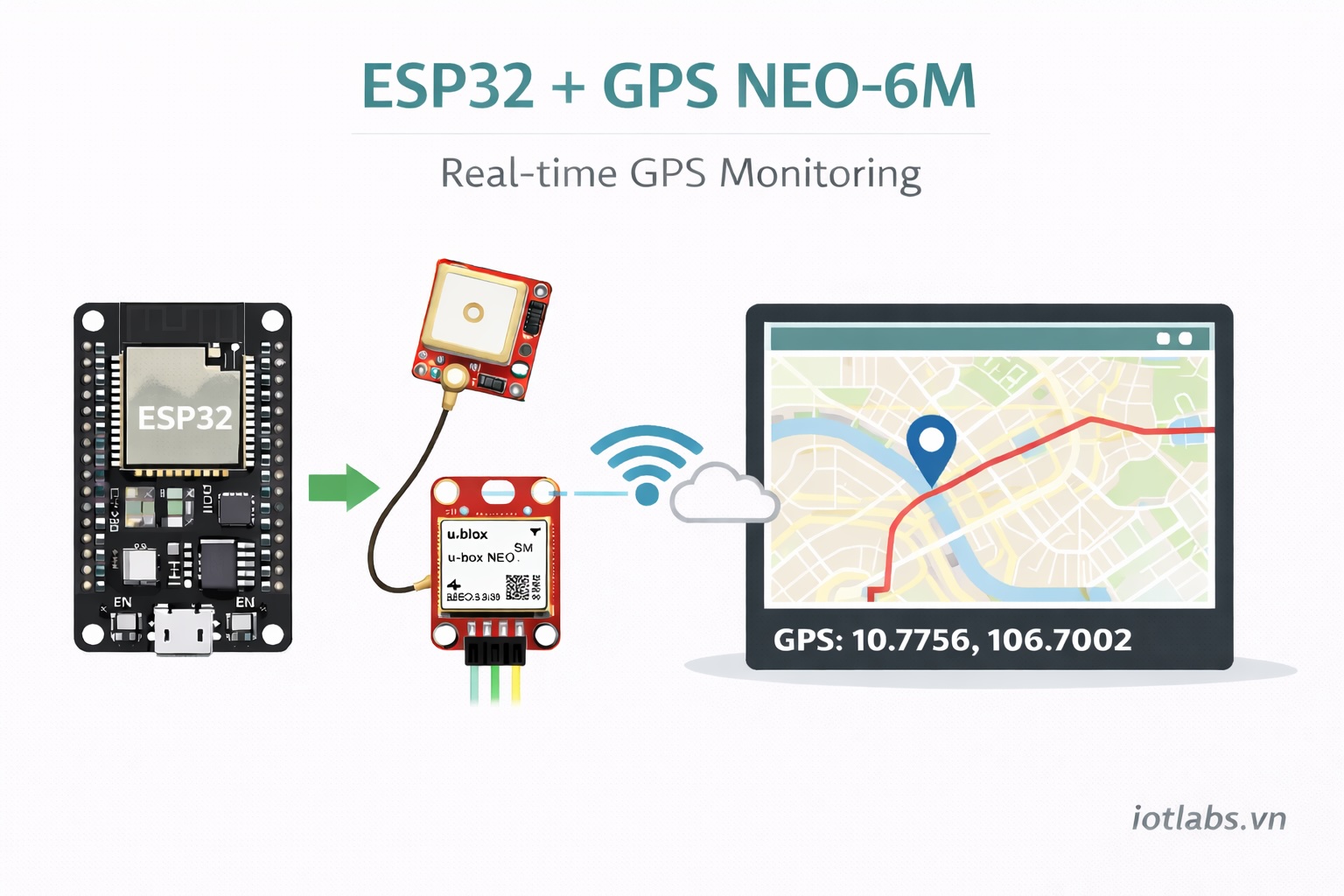
GPS NEO-6M là module GPS rất phổ biến để lấy vĩ độ/kinh độ, tốc độ, độ cao, số vệ tinh, rồi đẩy lên MQTT/Dashboard để theo dõi realtime (map + lịch sử di chuyển).
1) Chuẩn bị
- ESP32 (DevKit / ESP32-S3/C3 đều được)
- GPS NEO-6M (kèm anten gốm hoặc anten rời)
- Dây dupont
- (Tuỳ chọn) pin cúc áo cho chân VBAT (giữ dữ liệu nhanh fix)
2) Nối dây NEO-6M ↔ ESP32 (UART)
NEO-6M thường có các chân: VCC, GND, TXD, RXD.
Kết nối khuyến nghị (ESP32 DevKit dùng UART2):
| NEO-6M | ESP32 |
|---|---|
| VCC | 5V (đa số module có regulator) hoặc 3V3 (nếu module hỗ trợ) |
| GND | GND |
| TXD | GPIO16 (RX2) |
| RXD | GPIO17 (TX2) (tuỳ chọn, chỉ cần nếu bạn muốn gửi lệnh cấu hình) |
Lưu ý điện áp: NEO-6M TXD thường là mức TTL 3.3V (an toàn cho ESP32). Nhưng tuỳ module, tốt nhất kiểm tra thông số/board bạn mua.
3) Nguyên lý hoạt động (hiểu nhanh)
- GPS xuất dữ liệu dạng NMEA sentence qua UART (mặc định thường 9600 baud).
- Ta đọc chuỗi NMEA và parse ra:
lat,lngalt(m)speed(km/h)course(độ)satellites,hdopfixhợp lệ hay chưa
Để “realtime” ổn định:
- Chỉ publish khi có fix hợp lệ
- Publish đều mỗi 1–2 giây (hoặc theo chu kỳ GPS)
4) Cài thư viện Arduino
Dùng thư viện parse GPS dễ nhất:
- TinyGPSPlus (Arduino Library Manager)
Vào Arduino IDE → Library Manager → tìm TinyGPSPlus → Install.
5) Code ESP32 (Arduino) – đọc GPS + publish MQTT realtime
Ví dụ dưới đây:
- Đọc GPS qua
HardwareSerial(2) - Parse bằng TinyGPSPlus
- Publish MQTT JSON theo topic chuẩn IoTLabs:
iotlabs/{project_id}/{device_id}/telemetry
Thay Wi-Fi/MQTT config theo hệ của bạn.
#include <WiFi.h>
#include <PubSubClient.h>
#include <ArduinoJson.h>
#include <TinyGPSPlus.h>

#define GPS_RX 16     // ESP32 RX2  <- GPS TXD
#define GPS_TX 17     // ESP32 TX2  -> GPS RXD (optional)
#define GPS_BAUD 9600

#define PUBLISH_EVERY_MS 2000

// --- WiFi/MQTT config
const char* WIFI_SSID = "YOUR_WIFI";
const char* WIFI_PASS = "YOUR_PASS";

const char* MQTT_HOST = "broker.iotlabs.vn";
const int   MQTT_PORT = 1883; // TLS: 8883
const char* MQTT_USER = "YOUR_USER";
const char* MQTT_PASS = "YOUR_PASS";

const char* PROJECT_ID = "demo_project";
const char* DEVICE_ID  = "esp32_gps_neo6m_01";

WiFiClient espClient;
PubSubClient mqtt(espClient);

TinyGPSPlus gps;
HardwareSerial GPS(2);

unsigned long lastPub = 0;

uint32_t nowSeconds() {
  // Nếu bạn có time sync chuẩn (NTP/time service) thì dùng unix seconds thật.
  return (uint32_t)(millis() / 1000);
}

void wifiConnect() {
  WiFi.mode(WIFI_STA);
  WiFi.begin(WIFI_SSID, WIFI_PASS);
  while (WiFi.status() != WL_CONNECTED) delay(300);
}

void mqttConnect() {
  mqtt.setServer(MQTT_HOST, MQTT_PORT);
  while (!mqtt.connected()) {
    String clientId = String("iotlabs-") + DEVICE_ID;
    mqtt.connect(clientId.c_str(), MQTT_USER, MQTT_PASS);
    delay(500);
  }
}

void publishTelemetry() {
  // Chỉ publish khi có fix hợp lệ
  if (!gps.location.isValid() || gps.location.age() > 5000) return;

  const double lat = gps.location.lat();
  const double lng = gps.location.lng();

  const double alt = gps.altitude.isValid() ? gps.altitude.meters() : NAN;
  const double spd = gps.speed.isValid() ? gps.speed.kmph() : NAN;
  const double crs = gps.course.isValid() ? gps.course.deg() : NAN;

  const int sats = gps.satellites.isValid() ? gps.satellites.value() : -1;
  const double hdop = gps.hdop.isValid() ? gps.hdop.hdop() : NAN;

  String topic = String("iotlabs/") + PROJECT_ID + "/" + DEVICE_ID + "/telemetry";

  StaticJsonDocument<384> doc;
  doc["ts"] = nowSeconds();

  JsonObject metrics = doc.createNestedObject("metrics");
  metrics["lat"] = lat;
  metrics["lng"] = lng;
  if (!isnan(alt)) metrics["alt_m"] = alt;
  if (!isnan(spd)) metrics["speed_kmh"] = spd;
  if (!isnan(crs)) metrics["course_deg"] = crs;
  if (sats >= 0) metrics["sat"] = sats;
  if (!isnan(hdop)) metrics["hdop"] = hdop;

  JsonObject tags = doc.createNestedObject("tags");
  tags["sensor"] = "neo6m";
  tags["fix"] = true;

  char payload[384];
  size_t n = serializeJson(doc, payload);

  mqtt.publish(topic.c_str(), payload, n);
}

void setup() {
  Serial.begin(115200);

  // GPS UART
  GPS.begin(GPS_BAUD, SERIAL_8N1, GPS_RX, GPS_TX);

  wifiConnect();
  mqttConnect();

  Serial.println("GPS NEO-6M started. Waiting for fix...");
}

void loop() {
  if (WiFi.status() != WL_CONNECTED) wifiConnect();
  if (!mqtt.connected()) mqttConnect();
  mqtt.loop();

  // Feed GPS parser
  while (GPS.available()) {
    gps.encode(GPS.read());
  }

  // Publish periodically
  if (millis() - lastPub >= PUBLISH_EVERY_MS) {
    lastPub = millis();

    if (gps.location.isValid()) {
      Serial.printf("GPS: %.6f, %.6f | sat=%d | hdop=%.1f\n",
        gps.location.lat(), gps.location.lng(),
        gps.satellites.isValid() ? gps.satellites.value() : -1,
        gps.hdop.isValid() ? gps.hdop.hdop() : -1.0
      );
    } else {
      Serial.println("GPS: no fix yet...");
    }

    publishTelemetry();
  }
}
6) Dashboard realtime gợi ý (IoTLabs)
Card “Live Location”
- Lat/Lng + số vệ tinh + HDOP
- Trạng thái:
fix = true/false
Map
- Marker theo lat/lng (Leaflet/Mapbox/Google Maps)
- Vẽ polyline lịch sử (last 1h / last 24h)
Rule cảnh báo
- Nếu
fix=falseliên tục > 60s → cảnh báo mất GPS - Nếu
sat < 4hoặchdop > 3.0→ chất lượng định vị kém
7) Mẹo để bắt GPS nhanh và ổn định
- Đặt anten hướng lên trời, tránh gần kim loại/nguồn nhiễu.
- Lần đầu “cold start” có thể 1–5 phút (tuỳ môi trường).
- Nếu ở trong nhà, gần cửa sổ vẫn có thể yếu → tốt nhất test ngoài trời.
- Nếu không thấy dữ liệu: kiểm tra baud 9600, dây TX/RX có bị đảo không.
8) Gợi ý format dữ liệu “chuẩn để mở rộng”
Ngoài lat/lng, bạn có thể bổ sung:
accuracy_m(nếu module/firmware hỗ trợ)geohash(để query nhanh theo vùng)trip_id/route_id(để gom tuyến)