Kiến thức
ESP32-S3-DevKitC N16R8 CAM: Bài 13 – Dự án 1: Camera “Nhật ký” (chụp định kỳ + lưu thẻ + xem qua WiFi)
Th1 2026
Giới thiệu
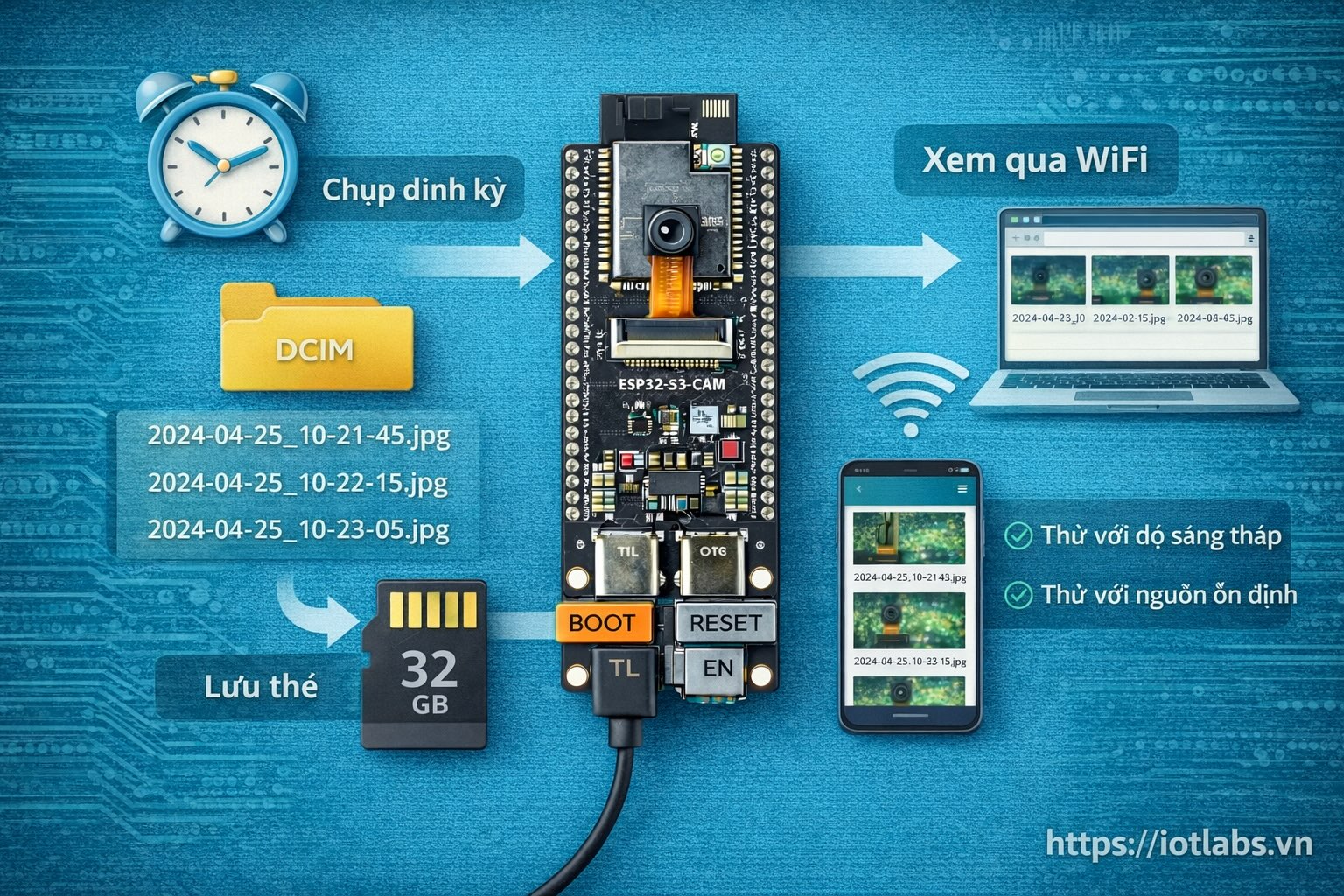
Bài 13 là dự án “mini nhưng dùng được ngay”: ESP32-S3-DevKitC N16R8 CAM sẽ chụp ảnh định kỳ, lưu vào microSD, và mở WiFi + web để bạn xem danh sách ảnh và mở ảnh trực tiếp trên điện thoại/laptop.
Dự án này phù hợp để bạn:
- Làm “camera nhật ký” (chụp theo thời gian)
- Test nhanh camera + thẻ nhớ + WiFi cho các dự án lớn hơn
- Làm nền cho Bài 14 (camera theo sự kiện)
Mục tiêu bài học
Sau bài này, bạn sẽ:
- Chạy ổn flow: init camera → init SD → chụp định kỳ → lưu file
- Tạo tên file theo timestamp/uptime
- Dựng Web UI tối giản: / (list) + /img?name=… (xem ảnh) + /status
- Biết các mẹo để chạy ổn định (PSRAM/heap, hạn chế rò rỉ, chống full thẻ)
Yêu cầu phần cứng
- Board: ESP32-S3-DevKitC N16R8 CAM (Flash 16MB, PSRAM 8MB)
- Camera DVP 24-pin: OV2640 (khuyến nghị cho người mới) hoặc OV5640
- Thẻ microSD (khuyến nghị): 8–32GB, Class 10
- Nguồn: cáp USB tốt; nếu bạn gặp reset, dùng nguồn ổn hơn
Ý tưởng
- Timer: cứ mỗi N giây chụp 1 ảnh
- Storage: lưu vào /DCIM hoặc /logcam
- WiFi:
- Mặc định: AP mode (dễ dùng cho người mới)
- Tùy chọn: STA mode nếu bạn muốn vào cùng mạng
- Web Server:
GET /→ trang danh sách ảnh (HTML đơn giản)GET /img?name=...→ trả ảnh JPEGGET /status→ JSON trạng thái
Thiết lập Arduino IDE (nhắc nhanh)
- Board: ESP32S3 Dev Module (hoặc đúng profile bạn đang dùng)
- PSRAM: Enabled
- USB CDC on Boot: tùy bạn (COM/TTL thường ổn)
- Partition: chọn loại có đủ app (khuyến nghị “Huge APP” nếu có)
Quy ước thư mục + tên file
Mình dùng:
- Thư mục:
/logcam - Tên file JPEG:
IMG_<YYYYMMDD>_<HHMMSS>.jpg
Nếu bạn không có NTP (offline), sẽ dùng uptime:
IMG_UP_<seconds>.jpg
Code hoàn chỉnh
Lưu ý: Mapping chân camera của board CAM thường đã được define theo biến thể. Nếu code init camera báo lỗi, bạn cần set đúng
camera_config_ttheo board. Dưới đây là cấu hình “phổ biến” cho ESP32-S3 CAM; nếu biến thể của bạn khác, mình sẽ chỉnh theo ảnh pinout/board cụ thể.
/**
 * Bài 13 — Dự án 1: Camera “Nhật ký”
 * - Chụp ảnh định kỳ
 * - Lưu microSD
 * - Xem ảnh qua WiFi + Web
 *
 * Board: ESP32-S3-DevKitC N16R8 CAM
 */

#include <Arduino.h>
#include "esp_camera.h"
#include <WiFi.h>
#include <WebServer.h>
#include <SD_MMC.h>
#include <FS.h>
#include <time.h>

// ================== PROJECT CONFIG ==================
#define USE_AP_MODE      1
#define AP_SSID          "IoTLabs-CamDiary"
#define AP_PASS          "12345678"

#define SAVE_DIR         "/logcam"
#define CAPTURE_INTERVAL_SEC  15  // chụp mỗi 15s (tùy chỉnh)
#define MAX_FILES_KEEP   500      // chống full thẻ: giữ tối đa N ảnh

// Camera tuning
#define JPEG_QUALITY     12
#define DEFAULT_FRAMESIZE FRAMESIZE_SVGA  // SVGA ổn cho OV2640; tăng lên nếu ổn

WebServer server(80);

unsigned long lastCaptureMs = 0;
uint32_t photoCount = 0;

// ================== CAMERA PIN CONFIG (PHỔ BIẾN) ==================
// Nếu board bạn khác, chỉnh theo biến thể.
// Cấu hình này tương tự nhiều board ESP32-S3 CAM DVP.
#define PWDN_GPIO_NUM     -1
#define RESET_GPIO_NUM    -1
#define XCLK_GPIO_NUM     15
#define SIOD_GPIO_NUM      4
#define SIOC_GPIO_NUM      5

#define Y9_GPIO_NUM       16
#define Y8_GPIO_NUM       17
#define Y7_GPIO_NUM       18
#define Y6_GPIO_NUM       12
#define Y5_GPIO_NUM       10
#define Y4_GPIO_NUM        8
#define Y3_GPIO_NUM        9
#define Y2_GPIO_NUM       11
#define VSYNC_GPIO_NUM     6
#define HREF_GPIO_NUM      7
#define PCLK_GPIO_NUM     13

// ================== UTILITIES ==================

String formatTwo(int v) {
  if (v < 10) return "0" + String(v);
  return String(v);
}

bool timeIsValid() {
  time_t now = time(nullptr);
  return now > 1700000000; // mốc kiểm tra đơn giản
}

String buildFileName() {
  if (timeIsValid()) {
    struct tm t;
    time_t now = time(nullptr);
    localtime_r(&now, &t);

    String ymd = String(1900 + t.tm_year) + formatTwo(1 + t.tm_mon) + formatTwo(t.tm_mday);
    String hms = formatTwo(t.tm_hour) + formatTwo(t.tm_min) + formatTwo(t.tm_sec);
    return String("IMG_") + ymd + "_" + hms + ".jpg";
  }

  // fallback uptime
  uint32_t sec = millis() / 1000;
  return String("IMG_UP_") + String(sec) + ".jpg";
}

void ensureDir(const char* path) {
  if (!SD_MMC.exists(path)) {
    SD_MMC.mkdir(path);
  }
}

// Đếm số file và xóa bớt nếu vượt MAX_FILES_KEEP
// Cách đơn giản: duyệt và xóa theo thứ tự tên (thường gần đúng theo thời gian)
void enforceMaxFiles() {
  File dir = SD_MMC.open(SAVE_DIR);
  if (!dir || !dir.isDirectory()) return;

  // Đếm file
  int count = 0;
  File f;
  while ((f = dir.openNextFile())) {
    if (!f.isDirectory()) count++;
    f.close();
  }
  dir.close();

  if (count <= MAX_FILES_KEEP) return;

  int needDelete = count - MAX_FILES_KEEP;
  Serial.printf("[SD] Too many files: %d, delete %d\n", count, needDelete);

  // Duyệt lại và xóa những file đầu tiên
  dir = SD_MMC.open(SAVE_DIR);
  while (needDelete > 0 && (f = dir.openNextFile())) {
    if (!f.isDirectory()) {
      String path = String(SAVE_DIR) + "/" + String(f.name());
      f.close();
      SD_MMC.remove(path);
      needDelete--;
      Serial.printf("[SD] Removed: %s\n", path.c_str());
    } else {
      f.close();
    }
  }
  dir.close();
}

// ================== CAMERA / SD / WIFI ==================

bool cameraSetup() {
  camera_config_t config;
  config.ledc_channel = LEDC_CHANNEL_0;
  config.ledc_timer   = LEDC_TIMER_0;

  config.pin_d0       = Y2_GPIO_NUM;
  config.pin_d1       = Y3_GPIO_NUM;
  config.pin_d2       = Y4_GPIO_NUM;
  config.pin_d3       = Y5_GPIO_NUM;
  config.pin_d4       = Y6_GPIO_NUM;
  config.pin_d5       = Y7_GPIO_NUM;
  config.pin_d6       = Y8_GPIO_NUM;
  config.pin_d7       = Y9_GPIO_NUM;

  config.pin_xclk     = XCLK_GPIO_NUM;
  config.pin_pclk     = PCLK_GPIO_NUM;
  config.pin_vsync    = VSYNC_GPIO_NUM;
  config.pin_href     = HREF_GPIO_NUM;

  config.pin_sscb_sda = SIOD_GPIO_NUM;
  config.pin_sscb_scl = SIOC_GPIO_NUM;

  config.pin_pwdn     = PWDN_GPIO_NUM;
  config.pin_reset    = RESET_GPIO_NUM;

  config.xclk_freq_hz = 20000000;
  config.pixel_format = PIXFORMAT_JPEG;

  // PSRAM
  config.frame_size   = DEFAULT_FRAMESIZE;
  config.jpeg_quality = JPEG_QUALITY;
  config.fb_count     = 2;
  config.grab_mode    = CAMERA_GRAB_LATEST;

  esp_err_t err = esp_camera_init(&config);
  if (err != ESP_OK) {
    Serial.printf("[CAM] init failed: 0x%x\n", err);
    return false;
  }

  sensor_t* s = esp_camera_sensor_get();
  if (s) {
    s->set_framesize(s, DEFAULT_FRAMESIZE);
    s->set_quality(s, JPEG_QUALITY);
  }

  Serial.println("[CAM] init OK");
  return true;
}

bool sdSetup() {
  // 1-bit mode thường ổn định cho nhiều board; nếu bạn chắc 4-bit OK có thể đổi.
  if (!SD_MMC.begin("/sdcard", true /* mode1bit */)) {
    Serial.println("[SD] SD_MMC mount failed");
    return false;
  }

  uint8_t cardType = SD_MMC.cardType();
  if (cardType == CARD_NONE) {
    Serial.println("[SD] No SD card attached");
    return false;
  }

  ensureDir(SAVE_DIR);

  uint64_t cardSizeMB = SD_MMC.cardSize() / (1024ULL * 1024ULL);
  uint64_t totalMB    = SD_MMC.totalBytes() / (1024ULL * 1024ULL);
  uint64_t usedMB     = SD_MMC.usedBytes() / (1024ULL * 1024ULL);

  Serial.printf("[SD] cardSize=%lluMB total=%lluMB used=%lluMB\n", cardSizeMB, totalMB, usedMB);
  return true;
}

void wifiSetup() {
#if USE_AP_MODE
  WiFi.mode(WIFI_AP);
  WiFi.softAP(AP_SSID, AP_PASS);
  IPAddress ip = WiFi.softAPIP();
  Serial.printf("[WiFi] AP: %s IP: %s\n", AP_SSID, ip.toString().c_str());
#else
  // STA mode (nếu bạn muốn): sửa SSID/PASS
  const char* ssid = "YOUR_WIFI";
  const char* pass = "YOUR_PASS";
  WiFi.mode(WIFI_STA);
  WiFi.begin(ssid, pass);
  Serial.print("[WiFi] Connecting");
  while (WiFi.status() != WL_CONNECTED) {
    delay(300);
    Serial.print(".");
  }
  Serial.printf("\n[WiFi] STA IP: %s\n", WiFi.localIP().toString().c_str());
#endif
}

void ntpSetupIfPossible() {
  // Nếu AP mode thì thường không có internet → NTP có thể không sync.
  // STA mode có internet thì NTP sẽ hữu ích.
  configTime(7 * 3600, 0, "pool.ntp.org", "time.nist.gov");
}

// ================== CAPTURE & SAVE ==================

bool captureAndSave() {
  camera_fb_t* fb = esp_camera_fb_get();
  if (!fb) {
    Serial.println("[CAM] capture failed (fb null)");
    return false;
  }

  String fileName = buildFileName();
  String fullPath = String(SAVE_DIR) + "/" + fileName;

  File file = SD_MMC.open(fullPath, FILE_WRITE);
  if (!file) {
    Serial.printf("[SD] open failed: %s\n", fullPath.c_str());
    esp_camera_fb_return(fb);
    return false;
  }

  size_t written = file.write(fb->buf, fb->len);
  file.close();
  esp_camera_fb_return(fb);

  if (written != fb->len) {
    Serial.printf("[SD] write mismatch: %u/%u\n", (unsigned)written, (unsigned)fb->len);
    SD_MMC.remove(fullPath);
    return false;
  }

  photoCount++;
  Serial.printf("[OK] Saved: %s (%u bytes) | count=%lu | heap=%u psram=%u\n",
                fullPath.c_str(), (unsigned)written, (unsigned long)photoCount,
                (unsigned)ESP.getFreeHeap(), (unsigned)ESP.getFreePsram());

  enforceMaxFiles();
  return true;
}

// ================== WEB SERVER ==================

String htmlHeader(const String& title) {
  String h;
  h += "<!doctype html><html><head><meta charset='utf-8'>";
  h += "<meta name='viewport' content='width=device-width, initial-scale=1'>";
  h += "<title>" + title + "</title>";
  h += "</head><body style='font-family:Arial; padding:16px;'>";
  h += "<div style='max-width:860px;margin:0 auto;'>";
  h += "<h2>IoTLabs</h2>";
  h += "<p>Nghiên cứu - Sáng tạo - Thử Nghiệm</p>";
  h += "<p>Website: <a href='https://iotlabs.vn' target='_blank'>https://iotlabs.vn</a></p>";
  h += "<hr/>";
  return h;
}

String htmlFooter() {
  return "</div></body></html>";
}

void handleRoot() {
  File dir = SD_MMC.open(SAVE_DIR);
  if (!dir || !dir.isDirectory()) {
    server.send(500, "text/plain", "SD dir not found");
    return;
  }

  String html = htmlHeader("IoTLabs Cam Diary");
  html += "<h3>Danh sách ảnh</h3>";
  html += "<p>Ảnh mới sẽ nằm cuối danh sách (tuỳ tên file). Bạn có thể refresh để cập nhật.</p>";
  html += "<p><a href='/status'>Xem trạng thái (/status)</a></p>";

  html += "<ul>";

  File f;
  while ((f = dir.openNextFile())) {
    if (!f.isDirectory()) {
      String name = String(f.name());
      String url = String("/img?name=") + name;
      html += "<li><a href='" + url + "'>" + name + "</a> (" + String((unsigned)f.size()) + " bytes)</li>";
    }
    f.close();
  }
  dir.close();

  html += "</ul>";
  html += htmlFooter();
  server.send(200, "text/html", html);
}

void handleImg() {
  if (!server.hasArg("name")) {
    server.send(400, "text/plain", "Missing name");
    return;
  }

  String name = server.arg("name");
  String path = String(SAVE_DIR) + "/" + name;

  if (!SD_MMC.exists(path)) {
    server.send(404, "text/plain", "Not found");
    return;
  }

  File file = SD_MMC.open(path, FILE_READ);
  if (!file) {
    server.send(500, "text/plain", "Open failed");
    return;
  }

  server.setContentLength(file.size());
  server.send(200, "image/jpeg", "");

  // stream file
  uint8_t buf[1024];
  while (file.available()) {
    size_t n = file.read(buf, sizeof(buf));
    if (n) server.client().write(buf, n);
  }
  file.close();
}

void handleStatus() {
  String json = "{";
  json += "\"photos\":" + String(photoCount) + ",";
  json += "\"heap\":" + String(ESP.getFreeHeap()) + ",";
  json += "\"psram\":" + String(ESP.getFreePsram()) + ",";
  json += "\"time_valid\":" + String(timeIsValid() ? "true" : "false") + ",";
#if USE_AP_MODE
  json += "\"mode\":\"AP\",";
  json += "\"ip\":\"" + WiFi.softAPIP().toString() + "\"";
#else
  json += "\"mode\":\"STA\",";
  json += "\"ip\":\"" + WiFi.localIP().toString() + "\"";
#endif
  json += "}";

  server.send(200, "application/json", json);
}

void webSetup() {
  server.on("/", HTTP_GET, handleRoot);
  server.on("/img", HTTP_GET, handleImg);
  server.on("/status", HTTP_GET, handleStatus);
  server.begin();
  Serial.println("[WEB] Server started");
}

// ================== MAIN ==================

void setup() {
  Serial.begin(115200);
  delay(300);

  Serial.println("\n[Bai 13] Camera diary start");
  Serial.printf("Heap=%u PSRAM=%u\n", (unsigned)ESP.getFreeHeap(), (unsigned)ESP.getFreePsram());

  if (!cameraSetup()) {
    Serial.println("[FATAL] Camera init failed. Stop.");
    while (true) delay(1000);
  }

  if (!sdSetup()) {
    Serial.println("[FATAL] SD init failed. Stop.");
    while (true) delay(1000);
  }

  wifiSetup();
  ntpSetupIfPossible();
  webSetup();

  lastCaptureMs = millis();
}

void loop() {
  server.handleClient();

  unsigned long now = millis();
  if (now - lastCaptureMs >= (CAPTURE_INTERVAL_SEC * 1000UL)) {
    lastCaptureMs = now;
    captureAndSave();
  }
}
Các bước thực hiện
1) Cắm thẻ microSD
- Format FAT32 (khuyến nghị)
- Cắm đúng chiều
2) Nạp code
- Chọn đúng board + bật PSRAM
- Nạp qua cổng COM/TTL (thường ổn định)
3) Kết nối WiFi và mở web
Nếu bạn dùng AP mode (mặc định):
- Trên điện thoại/laptop, tìm WiFi:
IoTLabs-CamDiary - Mật khẩu:
12345678 - Mở trình duyệt:
192.168.4.1
Bạn sẽ thấy danh sách ảnh trong /logcam.
Tối ưu ổn định (quan trọng)
1) Giảm crash do thiếu heap/PSRAM
- Giảm
frame_size(SVGA → VGA → QVGA) - Tăng
jpeg_qualitysố lớn hơn (12 → 15) để giảm dung lượng
2) Tránh reset do nguồn yếu
- Dùng cáp tốt
- Tránh vừa stream vừa chụp dày
- Nếu cần chụp nhanh (<=5s), ưu tiên nguồn ổn
3) Chống full thẻ
Trong code, mình đang:
- Giữ tối đa
MAX_FILES_KEEP - Nếu vượt: xóa bớt file cũ
Sau này bạn có thể nâng cấp lên “circular storage” chuẩn hơn.
Mở rộng gợi ý
- Thêm trang “xem ảnh dạng lưới” (grid) + ảnh thumbnail
- Thêm cấu hình qua web: đổi interval, đổi tên AP, đổi giới hạn file
- Thêm NTP chuẩn giờ khi chạy STA mode
Tham khảo bài liên quan khác trong series
- Bài 10 — Demo camera web server – stream ổn định, tối ưu PSRAM/heap
- Bài 11 — Chụp ảnh lưu microSD – đặt tên file, timestamp, chống full thẻ
- Bài 14 — Dự án 2 – Camera an ninh mini (snapshot theo sự kiện)