

Giới thiệu
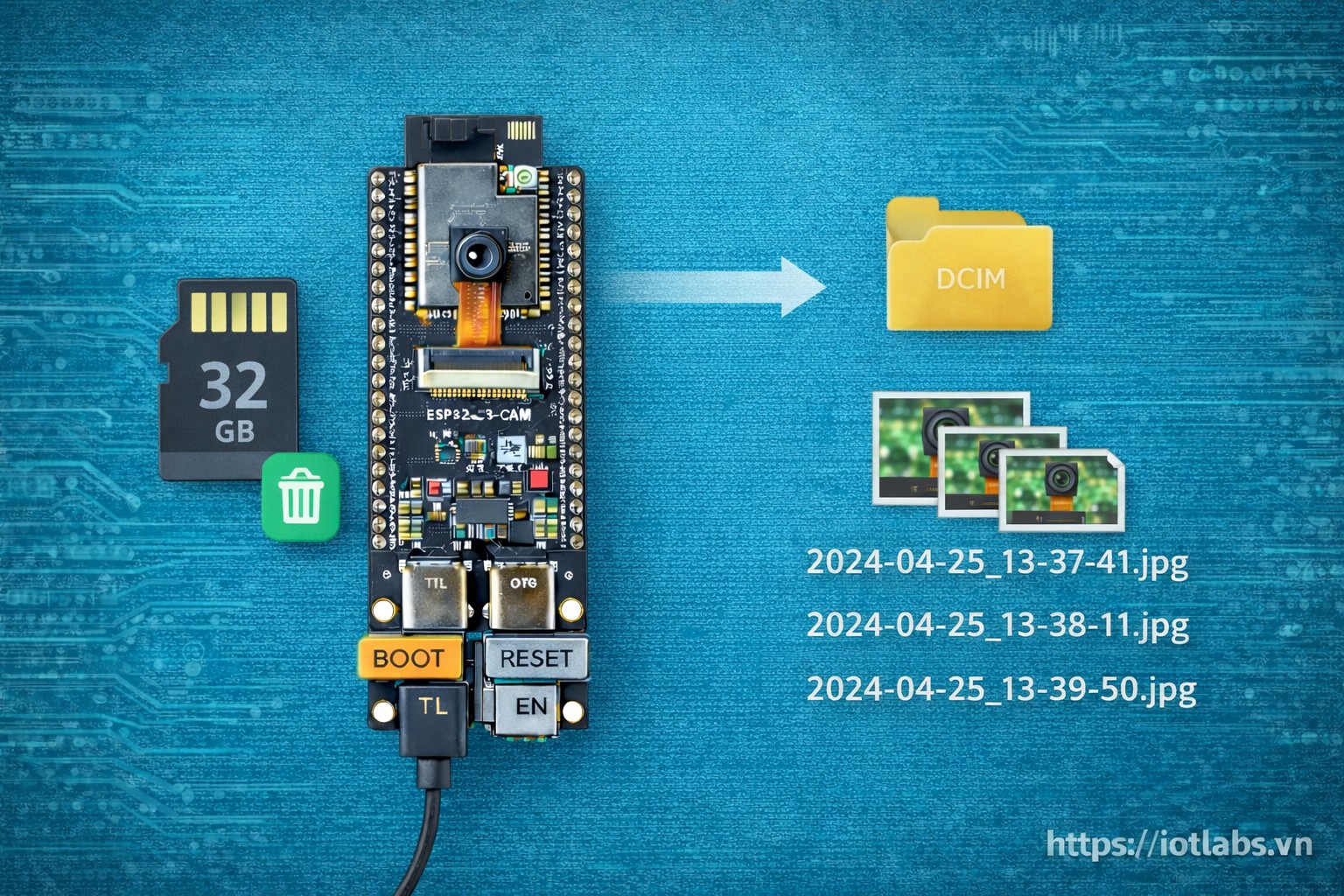
Bài 11 hướng dẫn bạn chụp ảnh từ camera trên ESP32-S3-DevKitC N16R8 CAM và lưu xuống thẻ microSD một cách ổn định, dễ mở rộng, chạy lâu. Bạn sẽ có một workflow hoàn chỉnh: khởi tạo camera + microSD, chụp ảnh, đặt tên file theo timestamp, tạo thư mục theo ngày, và có cơ chế chống full thẻ (giới hạn dung lượng / xoá file cũ / vòng tròn).
Mục tiêu bài học
Sau bài này, bạn sẽ:
- Hiểu 2 cách lưu thẻ: SD (SPI) và SD_MMC (trên board CAM thường là SD_MMC)
- Chụp ảnh JPEG bằng
esp_cameravà ghi file lên microSD - Đặt tên file khoa học: theo timestamp + thư mục theo ngày
- Tự tạo timestamp khi chưa có RTC/NTP (uptime-based) và nâng cấp lên NTP
- Chống full thẻ: giới hạn dung lượng, đếm file, xoá file cũ nhất
- Có code mẫu hoàn chỉnh, để bạn gắn vào dự án Bài 13/14
Điều kiện trước khi làm
- Board: ESP32-S3-DevKitC N16R8 CAM (có PSRAM)
- Camera hoạt động được (bạn nên đã test qua Bài 10)
- Thẻ microSD: 8GB–32GB, format FAT32 (để ổn định)
- Nguồn: cáp USB chất lượng, tránh sụt áp khi camera + ghi thẻ
Lưu ý: Nếu bạn stream camera và đồng thời ghi thẻ liên tục, hệ thống dễ bị thiếu heap/PSRAM hoặc sụt áp. Bài này tập trung vào chụp ảnh và lưu thẻ (snapshot workflow).
1. Tổng quan luồng hoạt động
- Init microSD
- Init camera
- Khi cần chụp ảnh:
- Lấy frame JPEG (
camera_fb_t* fb) - Tạo đường dẫn file (folder/ngày + timestamp)
- Ghi file ra SD
- Trả frame về cho driver (
esp_camera_fb_return(fb))
- Nếu sắp full:
- Xoá file cũ nhất hoặc giới hạn dung lượng
2. Chọn chế độ microSD: SD vs SD_MMC
SD (SPI)
- Dùng các chân SPI (MOSI/MISO/SCK/CS)
- Có thể linh động mapping GPIO
- Tốc độ tuỳ thuộc bus SPI
SD_MMC (4-bit / 1-bit)
- Thường là kết nối “on-board” trên board CAM
- Dùng interface SD/MMC của ESP32
- Đơn giản, ổn định hơn cho board CAM
Gợi ý: Trên board ESP32-S3 CAM (có khe thẻ trên PCB), bạn nên ưu tiên SD_MMC nếu board hỗ trợ.
Quy ước đặt tên file và thư mục
Để dễ quản lý và chống trùng tên:
- Thư mục theo ngày:
/cam/2025-12-25/ - Tên file:
IMG_20251225_221530.jpg
Nếu chưa có giờ hệ thống, tạm thời dùng uptime:
IMG_up_00012345.jpg(12345 giây)
Timestamp: 2 cách (đơn giản → chuẩn)
Cách 1: Uptime timestamp (không cần Internet)
- Dùng
millis()quy đổi ra giây - Phù hợp logger nhanh, nhưng không phải giờ thực
Cách 2: NTP timestamp (có WiFi)
- Kết nối WiFi
- Lấy giờ từ NTP (
configTime) - Đặt tên file theo giờ thực
Bài 13 sẽ dùng NTP để tạo “nhật ký camera” chuẩn giờ.
Cơ chế chống full thẻ
Bạn có 3 chiến lược (chọn 1, hoặc kết hợp):
Chiến lược A: Giới hạn dung lượng (recommended)
- Ví dụ: chỉ dùng tối đa 80% dung lượng thẻ
- Nếu vượt: xoá file cũ nhất
Chiến lược B: Giới hạn số lượng file
- Ví dụ: tối đa 2000 ảnh
- Nếu vượt: xoá 50 ảnh cũ nhất
Chiến lược C: Vòng tròn (circular)
- Đặt tên theo index:
000001.jpg…010000.jpg - Ghi đè khi quay vòng
Trong tutorial, mình làm Chiến lược B (dễ hiểu) và gợi ý mở rộng sang A.
3. Code ví dụ hoàn chỉnh (Camera + SD_MMC + chụp và lưu)
Lưu ý quan trọng: Pin mapping camera có thể khác tuỳ board. Hãy dùng mapping đúng với board của bạn (theo pinout/nhãn hãng). Đoạn mapping dưới đây là mẫu.
#include <Arduino.h>
#include "esp_camera.h"
#include "FS.h"
#include "SD_MMC.h"
#include <WiFi.h>
#include <time.h>

// ================== WIFI (optional for NTP) ==================
// Neu ban muon timestamp chuan gio, hay dien WiFi.
// Neu khong can, bo qua WiFi va se dung uptime.
const char* WIFI_SSID = "";
const char* WIFI_PASS = "";

// ================== STORAGE CONFIG ==================
static const char* BASE_DIR = "/cam";
static const uint32_t MAX_FILES = 2000;      // Chien luoc B
static const uint32_t DELETE_BATCH = 50;     // Xoa 50 file moi lan vuot nguong

// ================== CAMERA PIN MAP (SAMPLE) ==================
// !!! HAY DOI THEO BOARD CUA BAN !!!
// Neu ban dang dung board ESP32-S3-CAM (24-pin), thuong se giong cac pin map tu nha san xuat.
// Khong co 1 mapping duy nhat cho tat ca board.
#define PWDN_GPIO_NUM   -1
#define RESET_GPIO_NUM  -1
#define XCLK_GPIO_NUM   15
#define SIOD_GPIO_NUM    4
#define SIOC_GPIO_NUM    5

#define Y9_GPIO_NUM     16
#define Y8_GPIO_NUM     17
#define Y7_GPIO_NUM     18
#define Y6_GPIO_NUM     12
#define Y5_GPIO_NUM     10
#define Y4_GPIO_NUM      8
#define Y3_GPIO_NUM      9
#define Y2_GPIO_NUM     11

#define VSYNC_GPIO_NUM   6
#define HREF_GPIO_NUM    7
#define PCLK_GPIO_NUM   13

// ================== UTILS ==================
String twoDigits(int v) {
  if (v < 10) return "0" + String(v);
  return String(v);
}

bool isTimeValid() {
  time_t now = time(nullptr);
  return now > 1700000000; // moc tam (2023+). Neu nho hon thi coi nhu chua sync NTP.
}

String getDateFolder() {
  if (!isTimeValid()) {
    return String("up-") + String(millis() / 1000);
  }
  struct tm t;
  localtime_r(&now, &t);
  String y = String(t.tm_year + 1900);
  String m = twoDigits(t.tm_mon + 1);
  String d = twoDigits(t.tm_mday);
  return y + "-" + m + "-" + d;
}

String getFileNameJpg() {
  if (!isTimeValid()) {
    // Uptime-based
    uint32_t s = millis() / 1000;
    return String("IMG_up_") + String(s) + ".jpg";
  }
  time_t now = time(nullptr);
  struct tm t;
  localtime_r(&now, &t);
  String y = String(t.tm_year + 1900);
  String mo = twoDigits(t.tm_mon + 1);
  String d = twoDigits(t.tm_mday);
  String hh = twoDigits(t.tm_hour);
  String mm = twoDigits(t.tm_min);
  String ss = twoDigits(t.tm_sec);
  return "IMG_" + y + mo + d + "_" + hh + mm + ss + ".jpg";
}

bool ensureDir(fs::FS &fs, const String &path) {
  if (fs.exists(path)) return true;
  return fs.mkdir(path);
}

// Dem file jpg trong folder (don gian)
uint32_t countJpgInDir(fs::FS &fs, const String &dirPath) {
  File dir = fs.open(dirPath);
  if (!dir || !dir.isDirectory()) return 0;

  uint32_t count = 0;
  File f = dir.openNextFile();
  while (f) {
    if (!f.isDirectory()) {
      String n = f.name();
      n.toLowerCase();
      if (n.endsWith(".jpg")) count++;
    }
    f = dir.openNextFile();
  }
  return count;
}

// Xoa file cu nhat trong folder (duyet theo mtime neu co, neu khong thi theo ten)
// Implement don gian: thu thap danh sach ten file -> sort -> xoa N file dau
// (Voi Arduino co gioi han RAM, nen ta lam don gian: xoa theo ten tang dan neu dat ten theo timestamp)
uint32_t deleteOldestBatch(fs::FS &fs, const String &dirPath, uint32_t batch) {
  File dir = fs.open(dirPath);
  if (!dir || !dir.isDirectory()) return 0;

  // Thu thap ten file (gioi han)
  const uint32_t LIMIT = 3000;
  static String names[256]; // tranh cap phat dong. Neu folder qua nhieu, chi lay 256 file dau.
  uint32_t n = 0;

  File f = dir.openNextFile();
  while (f && n < 256) {
    if (!f.isDirectory()) {
      String name = String(f.name());
      String lower = name;
      lower.toLowerCase();
      if (lower.endsWith(".jpg")) {
        names[n++] = name;
      }
    }
    f = dir.openNextFile();
  }

  // Sort theo ten (IMG_YYYYMMDD_HHMMSS.jpg) se tu dong theo thu tu thoi gian
  for (uint32_t i = 0; i < n; i++) {
    for (uint32_t j = i + 1; j < n; j++) {
      if (names[j] < names[i]) {
        String tmp = names[i];
        names[i] = names[j];
        names[j] = tmp;
      }
    }
  }

  uint32_t deleted = 0;
  for (uint32_t i = 0; i < n && deleted < batch; i++) {
    if (fs.remove(names[i])) deleted++;
  }
  return deleted;
}

bool initSDMMC() {
  // Tranh loi mount: doi mot chut
  delay(200);

  if (!SD_MMC.begin("/sdcard", true /*mode1bit*/)) {
    // Thu lai 4-bit neu board ho tro
    if (!SD_MMC.begin("/sdcard", false /*4bit*/)) {
      Serial.println("[SD] SD_MMC mount failed");
      return false;
    }
  }

  uint8_t cardType = SD_MMC.cardType();
  if (cardType == CARD_NONE) {
    Serial.println("[SD] No SD card attached");
    return false;
  }

  Serial.print("[SD] Card Type: ");
  if (cardType == CARD_MMC) Serial.println("MMC");
  else if (cardType == CARD_SD) Serial.println("SDSC");
  else if (cardType == CARD_SDHC) Serial.println("SDHC");
  else Serial.println("UNKNOWN");

  uint64_t cardSize = SD_MMC.cardSize() / (1024ULL * 1024ULL);
  Serial.printf("[SD] Card Size: %llu MB\n", cardSize);

  return true;
}

bool initCamera() {
  camera_config_t config;
  config.ledc_channel = LEDC_CHANNEL_0;
  config.ledc_timer   = LEDC_TIMER_0;

  config.pin_d0 = Y2_GPIO_NUM;
  config.pin_d1 = Y3_GPIO_NUM;
  config.pin_d2 = Y4_GPIO_NUM;
  config.pin_d3 = Y5_GPIO_NUM;
  config.pin_d4 = Y6_GPIO_NUM;
  config.pin_d5 = Y7_GPIO_NUM;
  config.pin_d6 = Y8_GPIO_NUM;
  config.pin_d7 = Y9_GPIO_NUM;

  config.pin_xclk = XCLK_GPIO_NUM;
  config.pin_pclk = PCLK_GPIO_NUM;
  config.pin_vsync = VSYNC_GPIO_NUM;
  config.pin_href  = HREF_GPIO_NUM;

  config.pin_sscb_sda = SIOD_GPIO_NUM;
  config.pin_sscb_scl = SIOC_GPIO_NUM;

  config.pin_pwdn  = PWDN_GPIO_NUM;
  config.pin_reset = RESET_GPIO_NUM;

  config.xclk_freq_hz = 20000000;
  config.pixel_format = PIXFORMAT_JPEG;

  // Neu co PSRAM, tang chat luong/size
  if (psramFound()) {
    config.frame_size   = FRAMESIZE_SVGA;
    config.jpeg_quality = 12;
    config.fb_count     = 2;
  } else {
    config.frame_size   = FRAMESIZE_VGA;
    config.jpeg_quality = 15;
    config.fb_count     = 1;
  }

  esp_err_t err = esp_camera_init(&config);
  if (err != ESP_OK) {
    Serial.printf("[CAM] init failed: 0x%x\n", err);
    return false;
  }

  sensor_t *s = esp_camera_sensor_get();
  // Co the tuy chinh sensor o day neu can
  // s->set_framesize(s, FRAMESIZE_SVGA);

  Serial.println("[CAM] init OK");
  return true;
}

void trySyncTimeNTP() {
  if (String(WIFI_SSID).length() == 0) {
    Serial.println("[TIME] Skip NTP (no WiFi config)");
    return;
  }

  WiFi.mode(WIFI_STA);
  WiFi.begin(WIFI_SSID, WIFI_PASS);
  Serial.print("[WIFI] Connecting");

  uint32_t t0 = millis();
  while (WiFi.status() != WL_CONNECTED && millis() - t0 < 12000) {
    delay(300);
    Serial.print(".");
  }
  Serial.println();

  if (WiFi.status() != WL_CONNECTED) {
    Serial.println("[WIFI] Not connected -> use uptime timestamp");
    return;
  }

  Serial.printf("[WIFI] Connected: %s\n", WiFi.localIP().toString().c_str());

  // GMT+7 Vietnam
  configTime(7 * 3600, 0, "pool.ntp.org", "time.nist.gov");

  Serial.print("[TIME] Syncing NTP");
  uint32_t t1 = millis();
  while (!isTimeValid() && millis() - t1 < 10000) {
    delay(300);
    Serial.print(".");
  }
  Serial.println();

  if (isTimeValid()) {
    Serial.println("[TIME] NTP synced OK");
  } else {
    Serial.println("[TIME] NTP sync failed -> use uptime timestamp");
  }
}

bool savePhotoToSD() {
  camera_fb_t *fb = esp_camera_fb_get();
  if (!fb) {
    Serial.println("[CAP] esp_camera_fb_get failed");
    return false;
  }

  // Tao folder
  String dateFolder = getDateFolder();
  String dirPath = String(BASE_DIR) + "/" + dateFolder;
  if (!ensureDir(SD_MMC, BASE_DIR)) {
    Serial.println("[SD] create base dir failed");
    esp_camera_fb_return(fb);
    return false;
  }
  if (!ensureDir(SD_MMC, dirPath)) {
    Serial.println("[SD] create date dir failed");
    esp_camera_fb_return(fb);
    return false;
  }

  // Chien luoc chong full (B): gioi han so file trong folder
  uint32_t count = countJpgInDir(SD_MMC, dirPath);
  if (count >= MAX_FILES) {
    uint32_t del = deleteOldestBatch(SD_MMC, dirPath, DELETE_BATCH);
    Serial.printf("[SD] folder full -> deleted %u old files\n", del);
  }

  String fileName = getFileNameJpg();
  String filePath = dirPath + "/" + fileName;

  File file = SD_MMC.open(filePath, FILE_WRITE);
  if (!file) {
    Serial.println("[SD] open file failed");
    esp_camera_fb_return(fb);
    return false;
  }

  size_t written = file.write(fb->buf, fb->len);
  file.close();

  esp_camera_fb_return(fb);

  if (written != fb->len) {
    Serial.printf("[SD] write mismatch: %u/%u\n", (unsigned)written, (unsigned)fb->len);
    return false;
  }

  Serial.printf("[CAP] Saved: %s (%u bytes)\n", filePath.c_str(), (unsigned)fb->len);
  return true;
}

// ================== APP ==================
uint32_t lastShotMs = 0;
const uint32_t SHOT_INTERVAL_MS = 8000; // demo: 8s chup 1 anh

void setup() {
  Serial.begin(115200);
  delay(600);

  Serial.println("\n=== ESP32-S3 CAM: Capture to microSD ===");
  Serial.printf("[MEM] Heap: %u | PSRAM: %u | PSRAM found: %s\n",
                ESP.getFreeHeap(), ESP.getFreePsram(), psramFound() ? "YES" : "NO");

  if (!initSDMMC()) {
    Serial.println("[FATAL] SD init failed");
    return;
  }

  if (!initCamera()) {
    Serial.println("[FATAL] Camera init failed");
    return;
  }

  trySyncTimeNTP();

  Serial.println("[READY] Will capture periodically...");
}

void loop() {
  // Demo chup dinh ky
  if (millis() - lastShotMs >= SHOT_INTERVAL_MS) {
    lastShotMs = millis();

    Serial.printf("[MEM] Heap: %u | PSRAM: %u\n", ESP.getFreeHeap(), ESP.getFreePsram());

    bool ok = savePhotoToSD();
    Serial.println(ok ? "[OK] capture saved" : "[ERR] capture failed");
  }

  delay(50);
}
Giải thích nhanh (để bạn tự tuỳ chỉnh)
1) mode1bit khi mount SD_MMC
SD_MMC.begin("/sdcard", true)sẽ mount 1-bit (ổn định hơn nếu dây tín hiệu kém)- Nếu thất bại, code thử tiếp 4-bit
2) Vì sao sort theo tên file lại xoá đúng file cũ
Nếu tên file theo format IMG_YYYYMMDD_HHMMSS.jpg thì sort chuỗi sẽ đúng thứ tự thời gian.
3) Khi nào cần giảm frame_size
- Nếu thấy reset / capture fail / file size quá to
- Thử
FRAMESIZE_VGAhoặcFRAMESIZE_QVGAđể ổn định
4. Lỗi thường gặp và cách xử lý
Lỗi 1: SD_MMC mount failed
- Thẻ chưa format FAT32
- Thẻ kém chất lượng / tiếp xúc kém
- Thử 1-bit mode (code đã có)
Lỗi 2: File ghi ra 0 bytes / write mismatch
- Nguồn sụt áp
- Thẻ quá chậm
- Giảm frame size, giảm jpeg quality, đổi thẻ tốt hơn
Lỗi 3: Camera crash sau vài chục tấm
- Heap/PSRAM bị cạn
- Giảm
fb_countvề 1 nếu không cần tốc độ - Đảm bảo luôn gọi
esp_camera_fb_return(fb)
5. Best practices (chọn lọc)
- Luôn có cơ chế chống full thẻ (A/B/C)
- Test đọc/ghi thẻ riêng (Bài 08) trước khi kết hợp camera
- Nếu cần timestamp chuẩn, hãy dùng NTP (WiFi) hoặc thêm RTC
- Khi chạy 24/7, giảm độ phân giải và tần suất chụp