

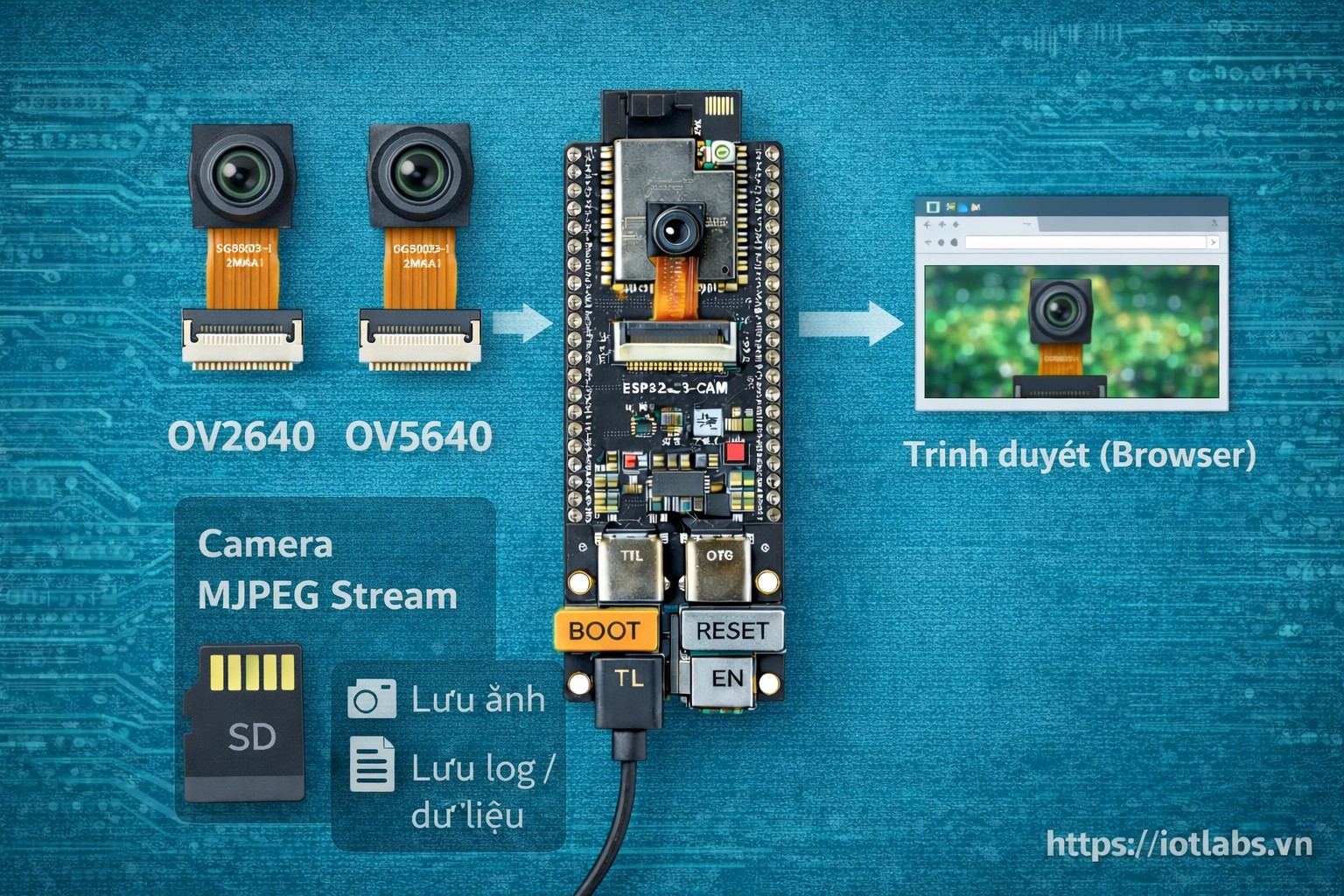
Bài 10 tập trung xây dựng demo camera web server trên ESP32-S3-DevKitC N16R8 CAM, cho phép stream hình ảnh qua trình duyệt web. Bài viết nhấn mạnh tính ổn định khi chạy lâu, cách tối ưu PSRAM/heap, và các cấu hình quan trọng giúp tránh reset, crash khi vừa dùng camera vừa bật WiFi.
Mục tiêu bài học
Sau bài này, bạn sẽ:
- Hiểu kiến trúc camera web server trên ESP32-S3
- Chạy được demo stream MJPEG qua trình duyệt
- Biết cách cấu hình frame size, jpeg quality hợp lý
- Tối ưu PSRAM và heap để chạy ổn định
- Tránh các lỗi crash thường gặp khi stream
1. Kiến trúc camera web server (tổng quan)
Luồng hoạt động cơ bản:
- Camera chụp frame (JPEG)
- ESP32-S3 đóng vai trò HTTP server
- Trình duyệt client request stream
- ESP32-S3 gửi luồng MJPEG liên tục
Camera và WiFi cùng dùng tài nguyên RAM, vì vậy PSRAM là bắt buộc với demo này.
2. Điều kiện bắt buộc trước khi chạy demo
Trước khi code, cần đảm bảo:
- Board ESP32-S3-DevKitC N16R8 CAM
- PSRAM đã bật và nhận đúng 8MB
- Camera hoạt động ổn định (đã test ở Bài 09)
- Nguồn cấp đủ dòng (USB-C chất lượng)
Gợi ý: không nên dùng cổng USB yếu từ hub rẻ tiền.
3. Cấu hình camera cho web server (ổn định trước)
config.xclk_freq_hz = 20000000;
config.pixel_format = PIXFORMAT_JPEG;

config.frame_size   = FRAMESIZE_VGA;   // Bắt đầu từ VGA
config.jpeg_quality = 12;              // 10–15
config.fb_count     = 2;               // PSRAM
Giải thích:
- FRAMESIZE_VGA đủ rõ, ít crash
- jpeg_quality 12 cân bằng chất lượng và tốc độ
- fb_count = 2 giúp pipeline mượt hơn
4. Code ví dụ hoàn chỉnh (Arduino IDE)
Bên dưới là code chạy đầy đủ theo hướng “chắc nạp được – chắc chạy”:
- Kết nối WiFi (STA)
- Init camera
- Mở web server
- Stream MJPEG tại
/stream - Trang chủ hiển thị link truy cập
- In log heap/psram để bạn theo dõi độ ổn định
Lưu ý quan trọng: mapping chân camera khác nhau theo board. Với ESP32-S3-DevKitC N16R8 CAM (bản CAM 2 USB-C) thường dùng cấu hình tương tự ESP32-S3 CAM phổ biến. Nếu bạn đã có bảng pinout camera cụ thể của board, hãy thay lại các
Yx/VSYNC/HREF/PCLK/XCLK/SIOD/SIOCcho đúng.
#include <Arduino.h>
#include <WiFi.h>
#include "esp_camera.h"
#include "esp_timer.h"
#include "esp_http_server.h"

// ================== WIFI CONFIG ==================
const char* WIFI_SSID = "YOUR_WIFI_SSID";
const char* WIFI_PASS = "YOUR_WIFI_PASSWORD";

// ================== CAMERA PIN MAPPING (S3 CAM - THAM KHAO) ==================
// TODO: Neu board cua ban co mapping khac, hay thay lai cho dung.
#define CAM_PIN_PWDN    -1
#define CAM_PIN_RESET   -1
#define CAM_PIN_XCLK    15
#define CAM_PIN_SIOD    4
#define CAM_PIN_SIOC    5

#define CAM_PIN_D7      16
#define CAM_PIN_D6      17
#define CAM_PIN_D5      18
#define CAM_PIN_D4      8
#define CAM_PIN_D3      3
#define CAM_PIN_D2      46
#define CAM_PIN_D1      9
#define CAM_PIN_D0      10

#define CAM_PIN_VSYNC   6
#define CAM_PIN_HREF    7
#define CAM_PIN_PCLK    13

// ================== MJPEG STREAM CONFIG ==================
static const char* STREAM_CONTENT_TYPE = "multipart/x-mixed-replace;boundary=frame";
static const char* STREAM_BOUNDARY = "--frame";
static const char* STREAM_PART =
    "Content-Type: image/jpeg\r\n"
    "Content-Length: %u\r\n\r\n";

static httpd_handle_t s_httpd = NULL;

// =============== Helpers ===============
static void logMemory(const char* tag) {
  uint32_t heap = ESP.getFreeHeap();
  uint32_t psram = ESP.getFreePsram();
  Serial.printf("[%s] freeHeap=%u bytes | freePSRAM=%u bytes\n", tag, heap, psram);
}

static bool initCamera() {
  camera_config_t config;
  config.ledc_channel = LEDC_CHANNEL_0;
  config.ledc_timer   = LEDC_TIMER_0;

  config.pin_d0 = CAM_PIN_D0;
  config.pin_d1 = CAM_PIN_D1;
  config.pin_d2 = CAM_PIN_D2;
  config.pin_d3 = CAM_PIN_D3;
  config.pin_d4 = CAM_PIN_D4;
  config.pin_d5 = CAM_PIN_D5;
  config.pin_d6 = CAM_PIN_D6;
  config.pin_d7 = CAM_PIN_D7;

  config.pin_xclk = CAM_PIN_XCLK;
  config.pin_pclk = CAM_PIN_PCLK;
  config.pin_vsync = CAM_PIN_VSYNC;
  config.pin_href = CAM_PIN_HREF;
  config.pin_sccb_sda = CAM_PIN_SIOD;
  config.pin_sccb_scl = CAM_PIN_SIOC;

  config.pin_pwdn  = CAM_PIN_PWDN;
  config.pin_reset = CAM_PIN_RESET;

  config.xclk_freq_hz = 20000000;
  config.pixel_format = PIXFORMAT_JPEG;

  // Tối ưu ổn định trước
  config.frame_size   = FRAMESIZE_VGA;
  config.jpeg_quality = 12;
  config.fb_count     = 2;

  // Nếu không có PSRAM, giảm cấu hình để tránh crash
  if (!psramFound()) {
    Serial.println("PSRAM not found -> downgrade camera settings");
    config.frame_size = FRAMESIZE_QVGA;
    config.fb_count   = 1;
  }

  esp_err_t err = esp_camera_init(&config);
  if (err != ESP_OK) {
    Serial.printf("Camera init failed: 0x%x\n", err);
    return false;
  }

  sensor_t* s = esp_camera_sensor_get();
  // Một số tối ưu nhỏ cho chất lượng/ổn định
  s->set_framesize(s, config.frame_size);
  s->set_quality(s, config.jpeg_quality);
  s->set_brightness(s, 0);
  s->set_contrast(s, 0);

  Serial.println("Camera init OK");
  return true;
}

// =============== HTTP Handlers ===============
static esp_err_t index_handler(httpd_req_t* req) {
  const char* html =
      "<!doctype html><html><head><meta charset='utf-8'>"
      "<meta name='viewport' content='width=device-width, initial-scale=1'>"
      "<title>ESP32-S3 CAM</title></head><body style='font-family:Arial;'>"
      "<h2>ESP32-S3 Camera Web Server</h2>"
      "<p>Mo stream: <a href='/stream'>/stream</a></p>"
      "<img src='/stream' style='max-width:100%;height:auto;'/>"
      "</body></html>";

  httpd_resp_set_type(req, "text/html");
  return httpd_resp_send(req, html, HTTPD_RESP_USE_STRLEN);
}

static esp_err_t stream_handler(httpd_req_t* req) {
  httpd_resp_set_type(req, STREAM_CONTENT_TYPE);
  httpd_resp_set_hdr(req, "Access-Control-Allow-Origin", "*");

  while (true) {
    camera_fb_t* fb = esp_camera_fb_get();
    if (!fb) {
      Serial.println("Camera capture failed");
      return ESP_FAIL;
    }

    // Boundary
    if (httpd_resp_send_chunk(req, STREAM_BOUNDARY, strlen(STREAM_BOUNDARY)) != ESP_OK) {
      esp_camera_fb_return(fb);
      break;
    }
    if (httpd_resp_send_chunk(req, "\r\n", 2) != ESP_OK) {
      esp_camera_fb_return(fb);
      break;
    }

    // Header part
    char part_buf[64];
    int hlen = snprintf(part_buf, sizeof(part_buf), STREAM_PART, fb->len);
    if (httpd_resp_send_chunk(req, part_buf, hlen) != ESP_OK) {
      esp_camera_fb_return(fb);
      break;
    }

    // JPEG data
    if (httpd_resp_send_chunk(req, (const char*)fb->buf, fb->len) != ESP_OK) {
      esp_camera_fb_return(fb);
      break;
    }

    // End of frame
    if (httpd_resp_send_chunk(req, "\r\n", 2) != ESP_OK) {
      esp_camera_fb_return(fb);
      break;
    }

    esp_camera_fb_return(fb);

    // Giảm tải CPU/WiFi, giúp ổn định hơn khi router yếu
    vTaskDelay(pdMS_TO_TICKS(10));
  }

  // Kết thúc response
  httpd_resp_send_chunk(req, NULL, 0);
  return ESP_OK;
}

static void startCameraServer() {
  httpd_config_t config = HTTPD_DEFAULT_CONFIG();
  config.server_port = 80;
  config.max_uri_handlers = 8;

  httpd_uri_t index_uri = {
      .uri = "/",
      .method = HTTP_GET,
      .handler = index_handler,
      .user_ctx = NULL};

  httpd_uri_t stream_uri = {
      .uri = "/stream",
      .method = HTTP_GET,
      .handler = stream_handler,
      .user_ctx = NULL};

  if (httpd_start(&s_httpd, &config) == ESP_OK) {
    httpd_register_uri_handler(s_httpd, &index_uri);
    httpd_register_uri_handler(s_httpd, &stream_uri);
    Serial.println("HTTP server started");
  } else {
    Serial.println("HTTP server start failed");
  }
}

// ================== Arduino ==================
void setup() {
  Serial.begin(115200);
  delay(300);

  Serial.println();
  Serial.println("=== ESP32-S3 N16R8 CAM - Camera Web Server (Stable) ===");

  // PSRAM check
  if (psramFound()) Serial.println("PSRAM: FOUND");
  else Serial.println("PSRAM: NOT FOUND");

  // WiFi
  WiFi.mode(WIFI_STA);
  WiFi.begin(WIFI_SSID, WIFI_PASS);
  Serial.print("WiFi connecting");
  while (WiFi.status() != WL_CONNECTED) {
    delay(500);
    Serial.print(".");
  }
  Serial.println();
  Serial.print("WiFi connected, IP: ");
  Serial.println(WiFi.localIP());

  // Camera
  if (!initCamera()) {
    Serial.println("Camera init failed -> stop");
    while (true) delay(1000);
  }

  // Server
  startCameraServer();

  logMemory("BOOT");
}

void loop() {
  // In log nhe moi 5s de theo doi memory (tranh spam Serial)
  static uint32_t last = 0;
  if (millis() - last >= 5000) {
    last = millis();
    logMemory("RUN");
  }

  delay(10);
}
Cách dùng nhanh
- Sửa
YOUR_WIFI_SSIDvàYOUR_WIFI_PASSWORD - Nạp code
- Mở Serial Monitor để lấy IP
- Truy cập:
http://<ip-esp32>/ - Stream trực tiếp:
http://<ip-esp32>/stream
Khởi tạo WiFi cho web server (giải thích)
Phần WiFi trong code dùng chế độ STA để kết nối router:
- Ưu tiên ổn định
- Dễ truy cập từ nhiều thiết bị trong cùng mạng
Nếu bạn muốn demo nhanh không cần router, bạn có thể làm AP mode (sẽ viết ở bài dự án Chặng 4).
5. Tối ưu PSRAM và heap khi stream
Kiểm tra PSRAM
Trong code có:
psramFound()để xác định có PSRAMESP.getFreePsram()để theo dõi PSRAM còn lại
Giảm áp lực bộ nhớ
- Bắt đầu từ VGA, chỉ tăng khi đã ổn định
- Không log Serial liên tục
- Tránh vừa stream vừa chạy tác vụ nặng khác
Cấu hình nâng cao để chạy ổn định
Gợi ý cấu hình tốt:
- frame_size: VGA hoặc SVGA
- fb_count: 2
- jpeg_quality: 12–15
Không khuyến nghị:
- UXGA + stream lâu
- Stream + ghi SD liên tục
6. Lỗi thường gặp khi stream camera
Reset ngẫu nhiên sau vài phút
- Nguyên nhân: heap cạn, nguồn yếu
- Giải pháp: giảm frame size, tăng jpeg_quality, dùng cáp tốt
Stream bị giật
- Nguyên nhân: WiFi yếu, frame quá lớn
- Giải pháp: giảm độ phân giải, tăng jpeg_quality (nén mạnh hơn)
Không vào được web
- Kiểm tra IP
- Kiểm tra cùng mạng WiFi
- Thử tắt VPN trên điện thoại/laptop
Màn hình đen hoặc ảnh lỗi
- Nguyên nhân: sai pin mapping camera
- Giải pháp: thay đúng mapping theo pinout camera của board
7. Best practices cho demo camera web server
- Test camera độc lập trước khi bật WiFi
- Tăng dần frame size, không nhảy vọt
- Luôn theo dõi free heap/free psram khi debug
- Nếu cần chạy lâu, ưu tiên VGA/SVGA thay vì UXGA